How to backtest forex on your phone (Android and iPhone)
Most backtesting tools were made for a big monitor and only squeeze onto a phone. PlayBack Forex was designed the other way round: for the phone most traders actually chart on, with the computer as a bonus.
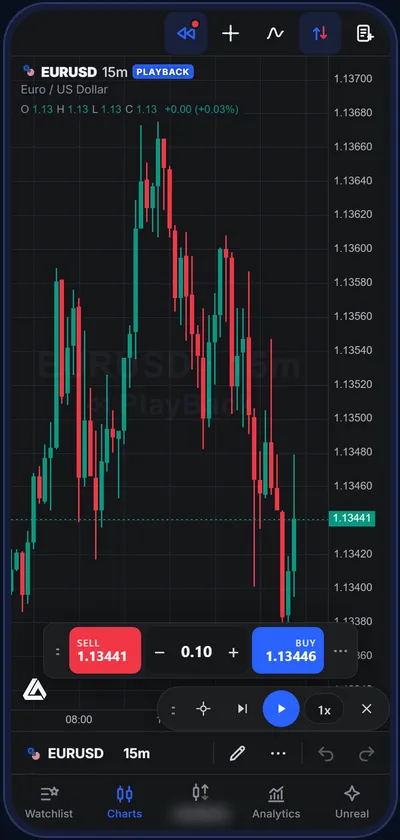
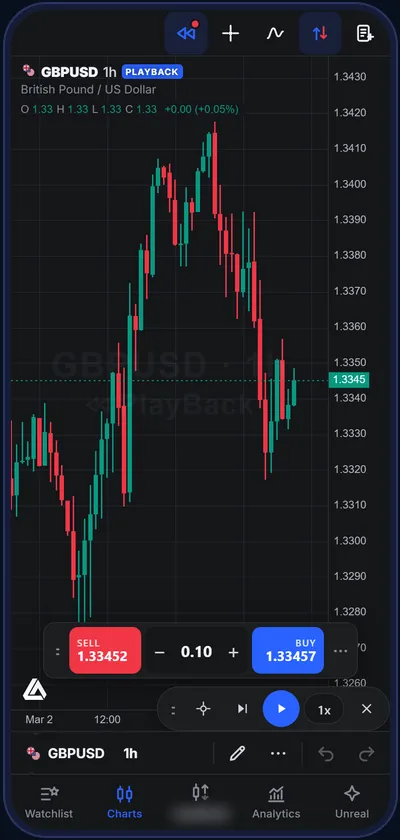
What backtesting on a phone needs
- A chart that fills the screen, not a desktop page shrunk to fit.
- Controls under your thumb: play, pause, step and speed in one small pill.
- One-tap trading: Sell, lot size and Buy on the chart, with a live P/L you can tap to manage positions.
- Fast switching: swipe between your pairs and your favourite timeframes.
- A report you can read on a small screen, and a PDF you can share.
PlayBack Forex has all of it, plus a bottom tab bar for Watchlist, Charts, Trade and Analytics.
How to start, step by step
- Open playbackforex.com.ng/app in Chrome (Android) or Safari (iPhone).
- Tap Add to home screen in the menu so it opens like an app.
- Pick a pair, tap PlayBack, then tap the candle you want to start from.
- Press play, trade with one tap, and open Analytics when you finish.
Why traders choose PlayBack Forex
- Made for your phoneA real phone layout: one-thumb PlayBack controls, one-tap Buy and Sell, swipe between pairs and timeframes. Add it to your home screen; no download.
- In-depth analyticsA full report after every session: profit factor, win rate, drawdown, Sharpe ratio, losing streaks, results by hour and day, Monte Carlo and a strategy-tester sheet.
- Simple to usePick a pair, tap a candle, press play. Built by a trader for traders: what you need, nothing you don’t.
- Priced in nairaFree to start. Pro is ₦500 for 24 hours or ₦3,000 for 30 days, by card or bank transfer, no auto-renewal.
- Real market history37 markets: 28 forex pairs, gold, silver, oil and five stock indices, on 1-minute candles up to the latest week.
- Trade it like it’s liveMarket and pending orders, stop loss, take profit, trailing stop, break-even, partial close, spread and commission, prop-firm loss limits.
The same account on your computer
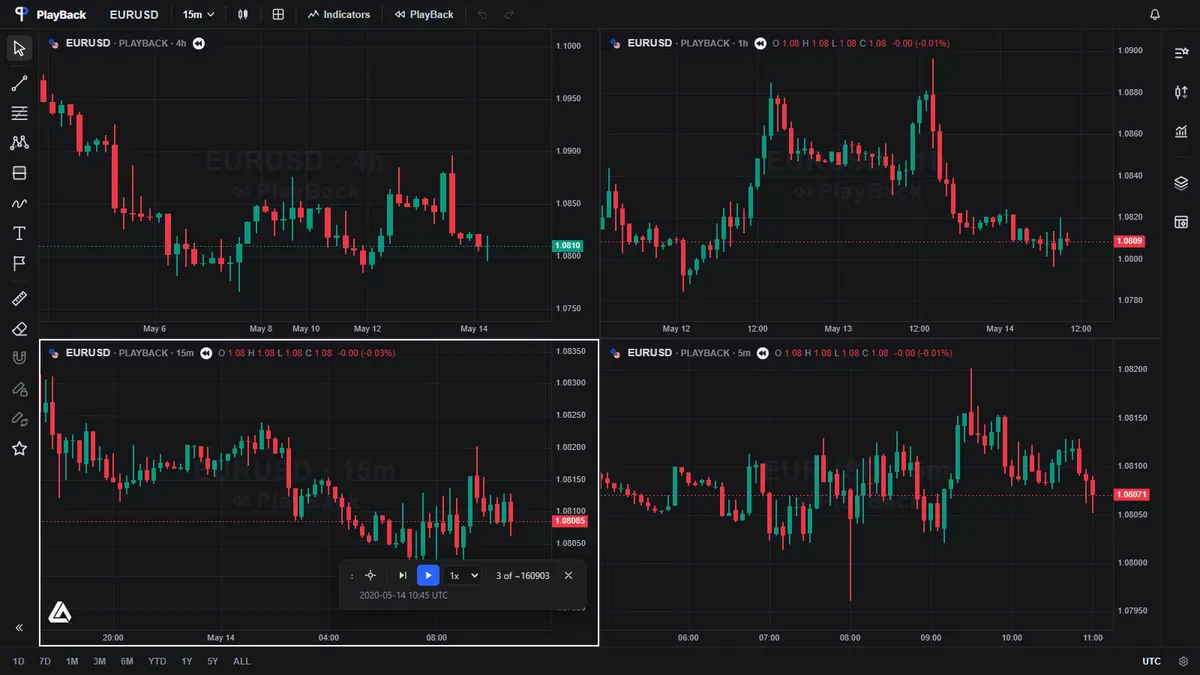
On a computer you get up to four synced charts, a full order ticket and the complete report, with the same plan and account.
Next: how to backtest a forex strategy, step by step.
Questions people ask
Can I backtest forex on my phone?
Yes. PlayBack Forex runs in your phone’s browser with a layout designed for phones: one-thumb PlayBack controls, one-tap Buy and Sell and swipeable pairs and timeframes.
Is there a forex backtesting app for Android or iPhone?
PlayBack Forex works on both. There is nothing to download from a store: open the site and add it to your home screen, and it opens like an app.
Does it work on a cheap phone?
It runs in any modern browser. On phones it holds less history in memory and plays only the chart you are looking at, to stay smooth.
Is phone backtesting free?
Yes, on daily, weekly and monthly charts. Pro opens every timeframe down to 1 minute.
Try it on real history
Open PlayBack Forex in your browser, pick a pair and a start candle, and trade the chart as it unfolds. Free to start.